

ScreenOps solutions
The work you do.
All connected.
Manage the business behind every screen.
From the first inquiry to the final payment.
What ScreenOps does
One flow.
From office to field to shop.
Keep the customer, property, job, and financial records connected through every handoff.
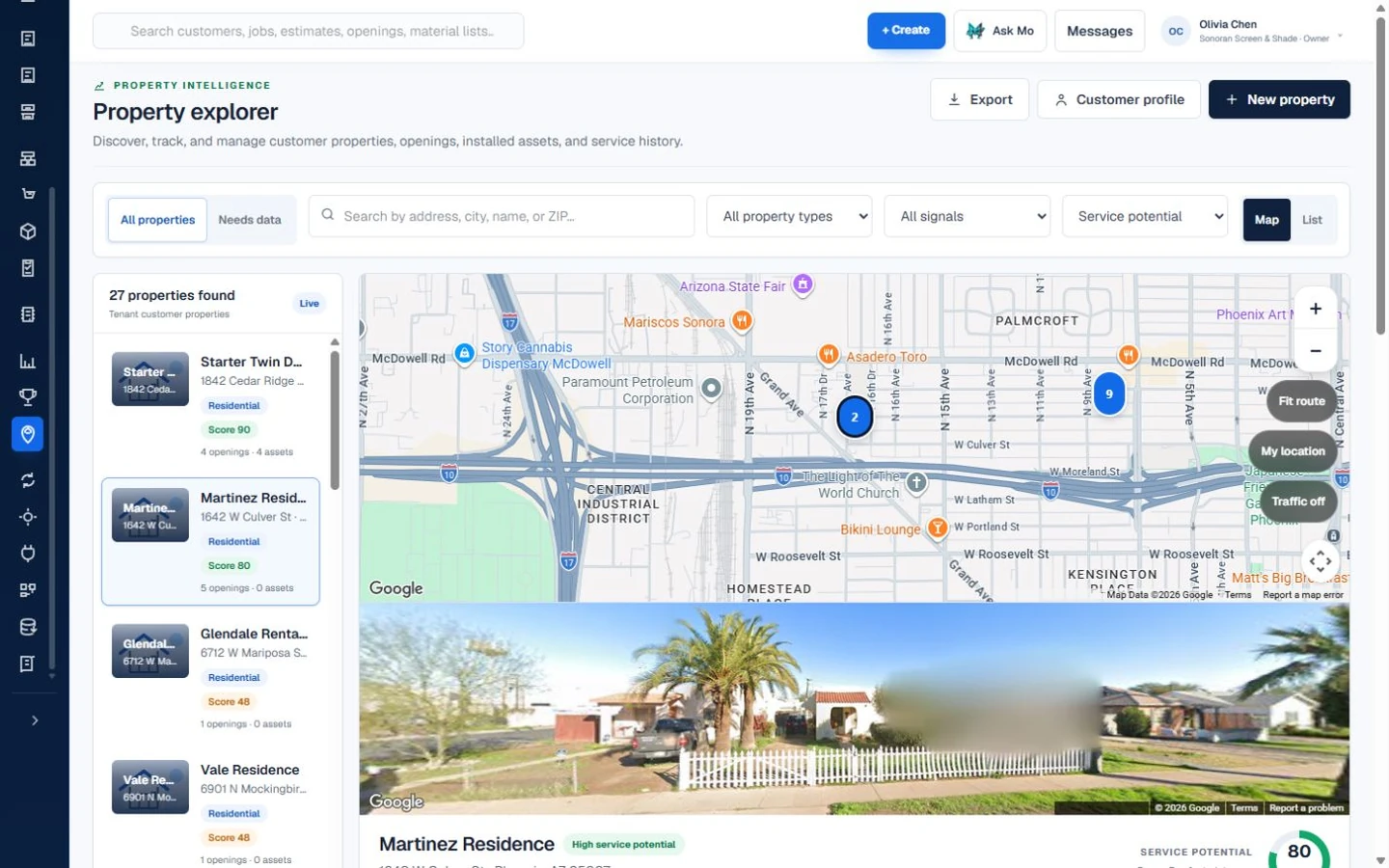
Know the customer. Know the job.
Customer → Property → Opening → Estimate
Built for your trade
Your products.
Your way of working.
Choose the work you sell.
See the details ScreenOps carries through it.
Screens, doors & repairs
From a single repair to a full property.
Window Screens
Carry every window opening from measure to install.
Keep window-screen dimensions, frame and mesh choices, estimates, fabrication, installation, and service history attached to the correct property opening.
What ScreenOps keeps connected
- Property and opening history
- Verified width and height
- Frame, mesh, spline, and color options
- Opening-based estimates
- Fabrication and material handoff
- Installation and warranty evidence
- Inquiry
- Consultation
- Opening measure
- Estimate
- Fabrication
- Installation
Screen Doors
Keep door fit, hardware, and service details together.
Coordinate sliding and hinged screen-door openings, measurements, mesh and frame selections, rollers or hardware, estimates, shop work, installation, and later service.
What ScreenOps keeps connected
- Door-opening records
- Track and hardware notes
- Frame, mesh, and color choices
- Photo and condition evidence
- Production specifications
- Installation and service history
- Inquiry
- Door assessment
- Configuration
- Estimate
- Build or repair
- Fit and closeout
Screen Repairs
Run onsite and in-shop repairs without losing the scope.
Schedule repair work, document damage and measurements, coordinate optional pickup and return, track field or shop execution, and close out payment and warranty records.
What ScreenOps keeps connected
- Damage photos and notes
- Onsite or in-shop path
- Optional pickup and drop-off
- Opening and item labels
- Repair payment workflow
- Warranty and closeout evidence
- Inquiry
- Repair assessment
- Pickup or onsite work
- Repair
- Return or install
- Closeout
Solar Screens
Quote and produce solar screens opening by opening.
Capture dimensions, exposure and location notes, frame color, solar mesh choice, pricing, production specifications, installation, and future replacement history for every opening.
What ScreenOps keeps connected
- Opening-specific dimensions
- Exposure and location notes
- Solar mesh and frame options
- Configuration-based pricing
- Fabrication specifications
- Installation and replacement history
- Inquiry
- Measure
- Solar screen configuration
- Estimate
- Fabrication
- Installation
Enclosures & rooms
Keep every area, panel, and phase in view.
Patio Enclosures
Coordinate enclosure projects panel by panel.
Organize the property, structure, areas, openings, measurements, options, materials, production tasks, crews, and completion evidence for multi-stage patio enclosure work.
What ScreenOps keeps connected
- Structure, area, and opening hierarchy
- Panel-level measurements
- Project photos and notes
- Estimate and approval history
- Material and production readiness
- Crew scheduling and quality evidence
- Inquiry
- Site consultation
- Area and panel measure
- Proposal
- Production
- Installation
Pool Enclosures
Keep pool enclosure repairs and builds mapped to the structure.
Track enclosure areas and panels, repair or replacement scope, measurements, material demand, crew assignments, quality checks, and customer history from one property record.
What ScreenOps keeps connected
- Enclosure structure records
- Area and panel mapping
- Repair versus replacement scope
- Measurements and photos
- Material and crew planning
- Quality and warranty history
- Inquiry
- Site assessment
- Panel scope
- Estimate
- Production or repair
- Completion
Arizona Rooms / Sun Rooms
Manage mixed room projects as one connected scope.
Keep room structures, window and door openings, screen panels, options, documents, estimates, production, and phased field work organized across the full project.
What ScreenOps keeps connected
- Room and structure hierarchy
- Mixed opening types
- Measurement and photo history
- Option and document control
- Phased production planning
- Installation and service records
- Inquiry
- Room consultation
- Opening plan
- Proposal
- Build phases
- Install and closeout
Specialty & commercial
Keep the specifications with the system.
Awnings
Bring site assessment, options, and installation into one job.
Coordinate property conditions, dimensions, mounting and access notes, selected awning options, procurement, installation scheduling, photos, and warranty follow-up.
What ScreenOps keeps connected
- Site and mounting assessment
- Dimensions and access notes
- Option and approval history
- Supplier and procurement context
- Installation scheduling
- Photo and warranty records
- Inquiry
- Site consultation
- Option selection
- Estimate
- Procurement
- Installation
Retractable & Motorized Screens
Control the specifications behind specialty screen systems.
Track opening dimensions, product and motor options, mounting and power notes, approvals, ordered components, installation, commissioning, service, and warranty history.
What ScreenOps keeps connected
- Opening and site requirements
- Product, motor, and control options
- Power and mounting notes
- Approval and procurement history
- Installation and commissioning
- Service and warranty records
- Inquiry
- Technical consultation
- System configuration
- Proposal
- Procure and prepare
- Install and commission
Commercial Window Graphics
Coordinate commercial glazing graphics from site to sign-off.
Organize business locations and window openings, dimensions, artwork and film notes, approvals, documents, production or procurement, installation windows, and completion evidence.
What ScreenOps keeps connected
- Business and site records
- Window and pane mapping
- Artwork and film specifications
- Approval and document history
- Production or supplier handoff
- Installation and sign-off evidence
- Inquiry
- Site survey
- Artwork and film approval
- Estimate
- Produce or procure
- Install and sign off
Use ScreenOps to manage project records and workflows alongside your existing engineering, permitting, manufacturer, and design tools.
Built around the work
One operation.
From here on.
No card required. No time limit.