

The work this connects
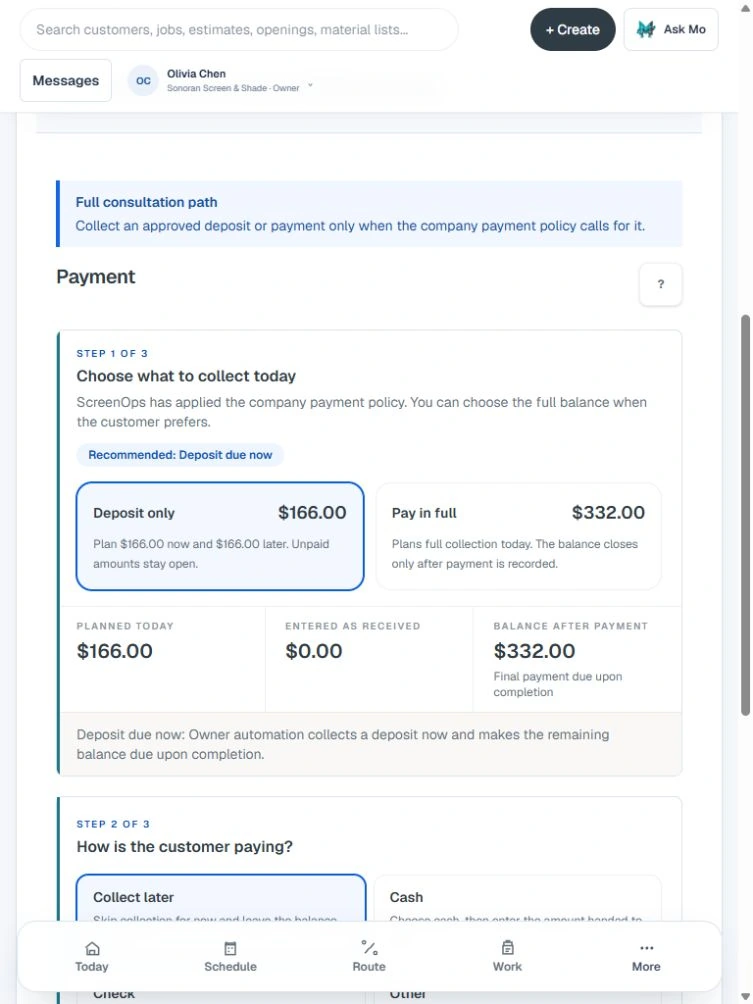
Payment timing differs by consultation, repair, install, warranty, membership, and financing arrangement. ScreenOps makes the due state explicit without mixing tenant customer payments with the ScreenOps subscription.
What stays connected
- Deposit and balance rules
- Card and bank payment when configured
- Owner-enabled offline payment methods
- Warranty-covered states
- Refund and reconciliation records
- Invoice and receipt handoff
Follow the workflow
- Estimate decision
- Payment rule
- Deposit or deferred
- Completion balance
- Receipt
Common questions
Does ScreenOps process every payment itself?
Customer card and bank payments depend on the company's configured Stripe connection. ScreenOps platform subscription billing is a separate Mosari billing relationship.
Can a company accept checks or cash?
Owners can enable supported offline payment types so staff can record the method and payment state without pretending it was processed online.