

The work this connects
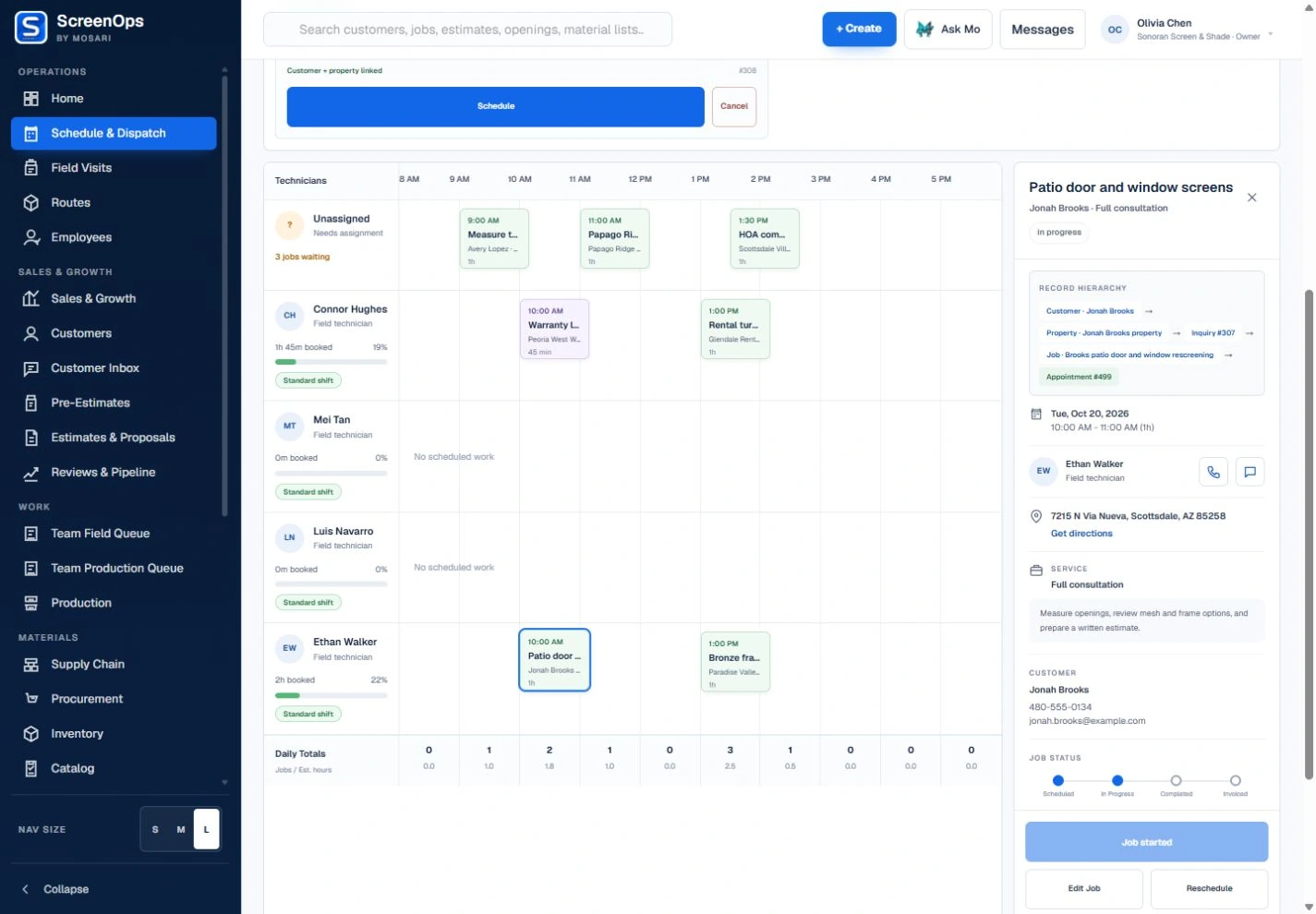
A list of appointments is not a dispatch board. Schedulers need to see technician availability, route windows, unscheduled demand, and overlapping work before committing the visit.
What stays connected
- Technician and crew lanes
- Unscheduled inquiry queue
- Conflict detection
- Lead technician assignment
- Claim-safe inquiry scheduling
- Visit detail and rescheduling
Follow the workflow
- Unscheduled inquiry
- Claim
- Technician or crew
- Calendar window
- Field queue
Common questions
How does ScreenOps reduce duplicate bookings?
Inquiry claims, guarded server transitions, conflict checks, and idempotent scheduling work together so multiple dispatchers cannot safely create duplicate active visits for the same inquiry.
Can one job be assigned to a crew?
Yes. Dispatch can assign multiple technician-role users and identify a lead technician when the work needs a crew.